



Take it slow. Cocoa and orange, in our new autumn blend. Meet your morning.
Create custom interfaces that fit your work. Connect the tasks, notes and drafts behind a project on Field.
Describe what you need, refine the preview and use the app in your workspace. Here, a content planner helps get the first Autumn launch post ready for review. Browse extensions for ready-made tools.
This demo creates a content planner and brings in the Autumn launch brief from Notion. The brief’s message, tone and call to action shape the Morning ritual Instagram draft. The finished photo and caption appear in Notion’s content calendar with an In review status.
Morning ritual, the first Autumn launch post, is ready for review. Keep the campaign brief, a copy of the caption and the publishing decision together in a project.
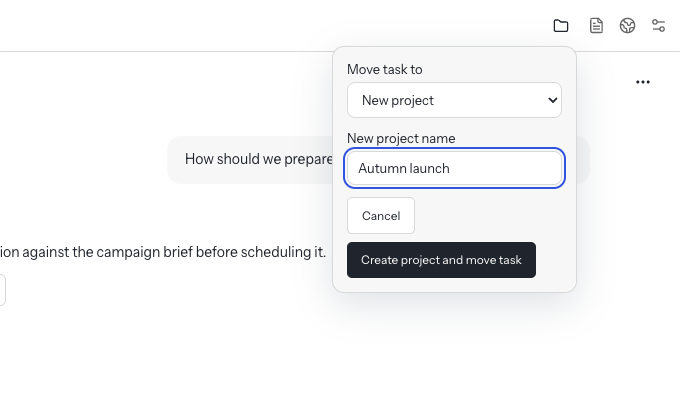
Move the planning task into a project called Autumn launch. The conversation stays with the task.
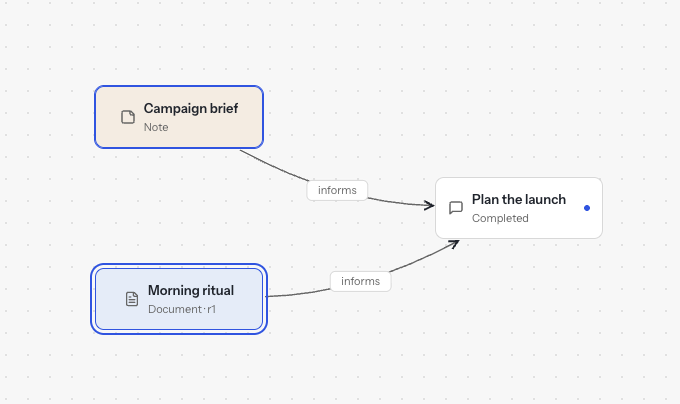
On Field, the project’s canvas, select the campaign brief and the saved caption as inputs for a new publishing review task.
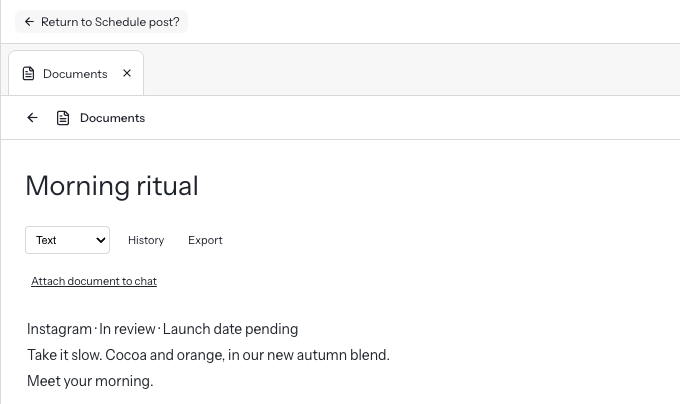
Open Morning ritual in Documents. Check the caption and see that the launch date is still pending, then return to the review task.
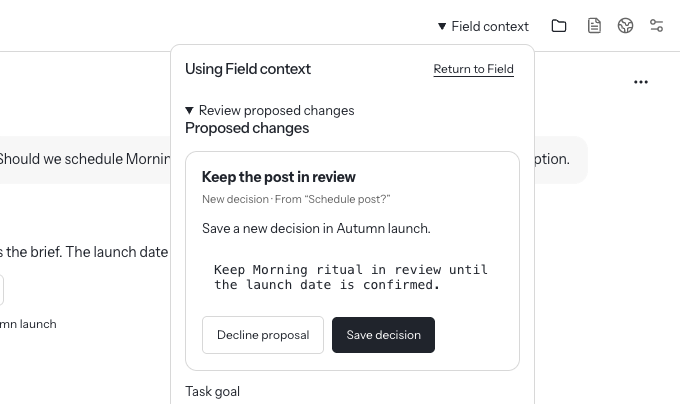
Choose Save decision to record “Keep the post in review” until the launch date is confirmed. Find the decision and the review task together on Field.
Your workspace, notes, and sources stay close.
Connect ChatGPT, Claude, an API, or a local model.
Choose what each tool can read and use.
Prompts and permitted context go to your chosen provider. Its data policies apply. The rest of your workspace stays on your device.
Hay runs on Apple silicon Macs (M1 and later).